Mastering the Rivals Sprint and Movement Glitches: Pro Guide
Want to move like a pro? Discover how to execute the Rivals sprint and master advanced movement techniques in Nosniy Games' hit title on Roblox.
Published:
Table of Contents
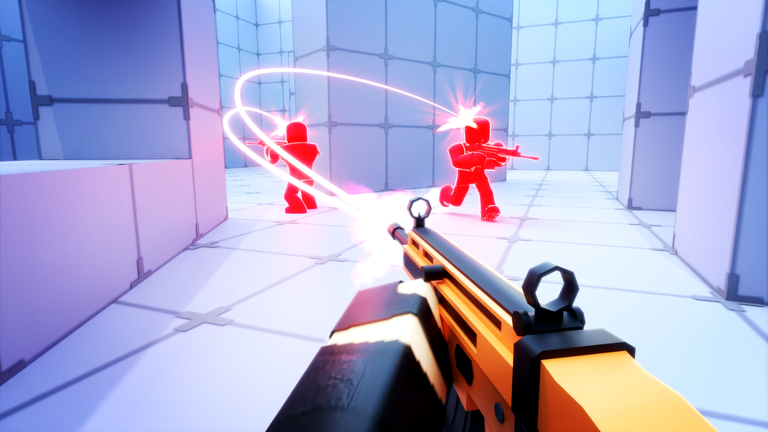
In the fast-paced world of RIVALS on Roblox, your ability to traverse the map often determines the difference between a high-kill streak and a respawn screen. Many players are searching for the secrets behind the infamous rivals sprint to gain a competitive edge, allowing them to zip across the battlefield with unparalleled speed.
Mastering your movement is essential because it makes you a harder target for opponents using high-precision weaponry. Whether you are looking to pull off the elusive ADS speed glitch or simply want to improve your general mobility, this guide covers everything you need to know to dominate the arena.
Understanding the Mechanics of Movement in RIVALS
Before jumping into advanced exploits, it is important to understand how standard movement works. The base movement speed is influenced by your loadout and your chosen settings. For many, the "toggle sprint" feature is the first step toward better control.
According to community reports, modifying your sprint settings allows for more consistent pacing during intense firefights. If you rely on the default auto-sprint, you might find yourself losing momentum when trying to perform complex maneuvers.
Movement Type
Key Input (Default)
Primary Benefit
Standard Walk
WASD
Baseline control
Slide Jump
Shift + Space
Faster than walking
ADS Speed Glitch
ADS + Slide + Jump
Extreme map mobility
Cliff Slide
Sprint + Slide
Maintains speed off ledges
The ADS Speed Glitch: How to Move Like Sonic
The rivals sprint technique—often referred to as the "ADS speed glitch"—has become a community favorite for those wanting to fly across maps. This move is considered a game-changer, allowing players to traverse the arena at speeds that are not normally possible.
Step-by-Step Execution
To execute this, you must first ensure you have "Toggle Sprint" enabled in your General settings. Once set, follow these steps:
Weapon Selection: Equip a primary or secondary weapon that supports Aim Down Sights (ADS). Note that this glitch does not work with melee weapons.
Toggle Sprint: Activate your sprint toggle at the start of the match.
The Sequence: The core rhythm is ADS (Right-Click) -> Slide -> Jump.
Repeating the Loop: As soon as you touch the ground after a jump, repeat the sequence immediately.
Maximize your speed
Combining the slingshot as a secondary weapon is highly recommended, as it provides a passive 10% movement boost, further amplifying your speed when the glitch is active.
Pro Movement Tips: Beyond the Sprint
While the ADS glitch is powerful, top-tier players rely on a combination of five distinct movement techniques to stay unpredictable. As one seasoned player demonstrated, consistency is the key to moving like a pro.
1. Slide Jumping and Cliff Sliding
Slide jumping is the fundamental movement skill in RIVALS. By jumping immediately after initiating a slide, you maintain velocity longer than a standard walk. Cliff sliding takes this further; by sliding off a ledge or a ramp without jumping, you retain your momentum, often launching yourself significantly further across the map.
2. Scythe Dashing
Equipping a scythe provides a massive mobility advantage. By tapping your quick-melee key (default F) followed by a right-click, you perform a dash in your look direction. This is perfect for gaining the high ground or escaping a firefight. A secret pro tip discovered by the community: pressing F and waiting a fraction of a second before right-clicking removes the shooting delay, allowing you to fire immediately after dashing.
3. Advanced Grenade Jumping
Grenade jumping is a high-risk, high-reward technique. You can "cook" your grenade and jump at the last second to get a boost. The "instant" variation involves hitting your grenade with a melee strike (Left-click then G), which allows for precise, self-controlled propulsion.
Technique
Difficulty
Best Use Case
Slide Jump
Easy
General map traversal
Scythe Dash
Medium
Verticality & High ground
Grenade Jump
High
Rapid repositioning
Flame Blast
Medium
Mid-air mobility
Loadout Synergy for Maximum Speed
Choosing the right gear is just as important as the mechanics themselves. Some weapons, like the minigun, might slow you down naturally, while others complement your movement style.
Recommended Loadout Setup
Primary: Assault Rifle (reliable for ADS glitching).
Secondary: Slingshot (provides the movement speed buff).
Melee: Scythe (essential for dash mobility).
Utility: Grenades or Flamethrower (for air-blast mobility).
The flamethrower's air-blast function allows you to look down, jump, and right-click to launch yourself vertically, acting as a "pocket scythe." This creates an unbeatable movement combo when paired with a katana or melee weapon for close-quarters finishers.
FAQ: Frequently Asked Questions
Is the ADS rivals sprint glitch bannable?
According to recent community reports and admin clarifications, using this movement technique is currently not considered a bannable offense. However, developers may adjust mechanics in future updates, so stay informed on patch notes.
Why does my gun have a delay after scythe dashing?
The delay occurs if you click the right-click button too quickly after equipping the scythe. To bypass this, add a slight pause between your equip action and the dash input.
Which map is best for practicing movement?
The Arena map is the best choice for practicing the rivals sprint and cliff sliding due to its varied elevation and open spaces.
Do I need special items to move faster?
While you don't need items, certain weapons like the Slingshot provide passive speed buffs. Combining these with movement techniques like slide jumping will yield the best results for your mobility.