How to Use the RIVALS Third Person View for Tactical Advantage
Master the RIVALS third person perspective with our expert guide. Discover how to activate this hidden feature, optimize your gameplay, and dominate every match.
Published:
Table of Contents
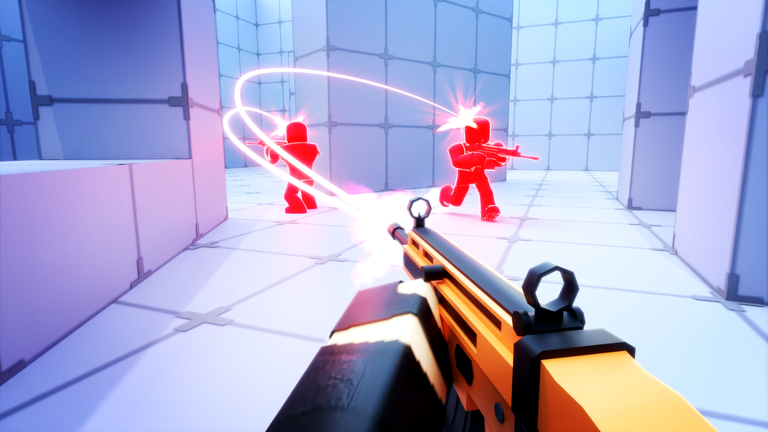
Have you ever felt like you were at a disadvantage in a firefight because you simply couldn't see around a corner? While the intense action of RIVALS is primarily designed as a first-person experience, many players are now discovering the tactical edge provided by a unique rivals third person perspective.
Mastering this perspective shift is essential for players looking to elevate their game sense and secure more victories. In this guide, we will break down exactly how you can implement the rivals third person view to gain information, anticipate enemy movements, and outmaneuver your opponents on every map.
Understanding the Competitive Edge of Third-Person View
In high-stakes combat games, information is your most valuable asset. When you play strictly in first-person, your field of vision is limited by the physical geometry of the game’s environment. Walls, crates, and doorways often act as blind spots.
By utilizing the third-person view, you gain the ability to peek around corners without exposing your character to enemy fire. According to player experience, this allows you to pre-aim at locations before you even step into the line of sight.
Why Perspectives Matter in RIVALS
The contrast between first-person and third-person gameplay is stark. Below is a comparison of how each mode impacts your tactical choices:
Feature
First-Person View
Third-Person View
Visibility
Limited to direct line-of-sight
Expanded, allows corner peeking
Aim Precision
High, ideal for close-range duels
Challenging, requires sensitivity practice
Situational Awareness
Tunnel vision
High, tracks flankers easily
Best Used For
Direct combat and close-quarters
Information gathering and scouting
How to Activate and Toggle Your Perspective
Based on community reports from dedicated players, the ability to switch cameras is a powerful tool, though its accessibility can vary depending on your input device. For many, this is achieved through a specific keybind.
Keybind Activation
Most players report that pressing the 'B' key on a keyboard allows for an immediate toggle into the third-person camera. If you find this doesn't work, ensure your settings haven't been remapped.
When you press the activation key, you will notice the camera pull back, revealing your character model. This is particularly useful for assessing your surroundings in maps like "Docks" or "Station" where verticality and tight corridors play a major role in combat outcomes.
Troubleshooting Perspective Issues
Device Limitations: Some community reports suggest that third-person toggling behaves differently on controllers compared to mouse and keyboard. If you are struggling, try plugging in a controller to see if the game registers the camera shift option more reliably.
Camera Glitches: If your camera feels stuck or the view remains zoomed in, simply toggle the perspective off and on again.
Strategic Advantages in Map Control
Once you have mastered the transition, you must apply the rivals third person view strategically. It is not meant to be used permanently during a firefight—in fact, many experts argue that aiming in third-person can be significantly harder due to the offset camera angle.
Instead, think of the third-person view as your "scouting" tool. You hold the angle to gather information, then toggle back to first-person the moment you are ready to engage.
Tactical Workflow for Success
Stage
Action
Why
Scouting
Enter third-person mode
Gain vision of enemy positions
Positioning
Move toward the target
Set your crosshair before peeking
Engagement
Toggle to first-person
Regain pinpoint aiming accuracy
Clean-up
Secure the kill
Minimize exposure time
Common Mistakes to Avoid
Even with the best tools, players often fall into traps that cost them the round. A common mistake is staying in third-person during a high-speed close-range encounter.
Avoid the "Third-Person Trap"
Never engage an enemy in a one-on-one fight while in third-person if you can help it. The lack of traditional "shift-lock" functionality makes your shots much harder to land accurately, often leading to wasted ammo and a quick elimination by your opponent.
Community discussions highlight that the most successful players are those who can fluidly switch back and forth. If you are caught in an open field, prioritize first-person movement to ensure your movement speed and reaction times remain optimal.
Optimizing Your Sensitivity for Hybrid Play
Transitioning between camera modes can feel jarring if your sensitivity settings aren't dialed in. Because the field of view changes, the way your mouse or stick input translates to character movement changes as well.
Recommended Sensitivity Settings for Transitions
Setting
Adjustment
Purpose
Camera Sensitivity
Lower slightly
Helps with steadying third-person scouting
ADS Sensitivity
Maintain high
Ensures quick target acquisition in first-person
Deadzone
Keep at zero (for controllers)
Maximizes responsiveness
If you feel "floaty" while in third-person, try reducing your sensitivity until you can comfortably track objects around corners. Practice this in less populated areas of a map like "Big Crossroads" before jumping into a competitive match.
FAQ: Mastering RIVALS Perspective
Q: Can I get banned for using the third-person view?
A: No. The rivals third person view is a feature inherent to the game's current mechanics. However, always ensure you are using it within the spirit of fair play and not relying on third-party software.
Q: Why does my aim feel worse in third-person?
A: Because the camera is offset from the character's line of sight, the crosshair does not align the same way it does in first-person. This is why we recommend using it only for scouting and switching to first-person for firing.
Q: Is third-person mode available on all devices?
A: While many PC players use keyboard shortcuts, some users find the feature more accessible on controllers. If you are struggling, experiment with your input device settings.
Q: How do I get better at map movement in RIVALS?
A: Use your third-person camera to memorize common "camping" spots on maps. Once you know where enemies hide, you can pre-fire those angles in first-person mode, giving you a massive advantage.
By consistently applying these techniques, you will find that your game sense improves drastically. The ability to see what others cannot is the hallmark of a top-tier player. Keep practicing your transitions, stay alert, and don't let the enemy catch you off guard again!